
Independent reviews — we don’t sell software, and we list every tool’s weaknesses, not just its strengths.
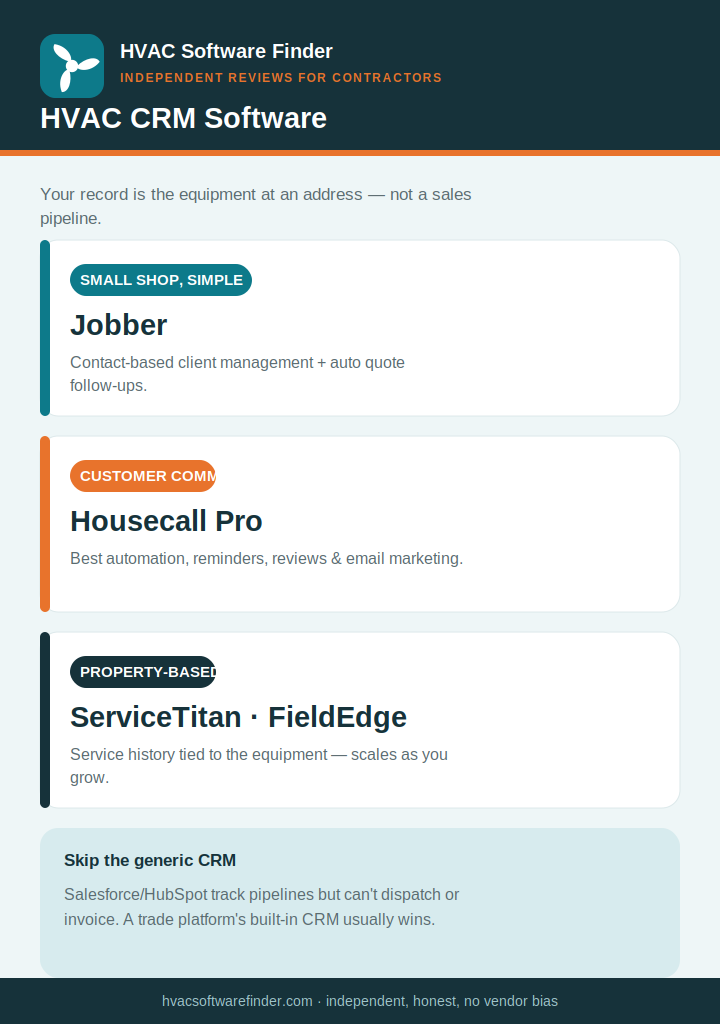
Quick answer: For HVAC, the CRM built into your field service platform almost always beats a standalone sales CRM like Salesforce or HubSpot — because your “customer” record is really about the equipment at an address, not a sales pipeline. For most small shops, Jobber (simple client management) or Housecall Pro (best automation and customer communication) is the right CRM. ServiceTitan and FieldEdge use property-based records — service history tied to the equipment — which matters more as you grow. A standalone CRM only makes sense if you have dedicated sales reps. Here’s the honest breakdown.
The HVAC CRM truth: your record is the equipment, not the contact
Most “best CRM” advice is written for sales teams managing leads and pipelines. HVAC doesn’t work that way, and following generic CRM advice leads shops to overpay for Salesforce-style tools that can’t schedule a tune-up. We’re independent and sell nothing, so here’s the distinction that actually matters:
- Property-based CRM: the service record is attached to the equipment at an address — the 3-ton unit on that roof, its install date, warranty, and full service history — so it stays accurate even when the homeowner changes. ServiceTitan, FieldEdge, and ServiceTrade work this way. It’s how HVAC records should work.
- Contact-based CRM: the record is tied to the person. Simpler to set up, but you lose equipment context when ownership changes. Jobber, Housecall Pro, and most lighter tools use this model — and it’s perfectly fine for smaller shops where you know your customers personally.
The second truth: for most HVAC contractors, the CRM built into your field service platform already covers what you need — customer history, equipment tracking, agreement management, and communication automation. A standalone CRM only earns its place if you have dedicated sales reps who need pipeline stages and marketing attribution your FSM doesn’t provide. Most shops under 15 techs don’t.
What an HVAC CRM actually needs to do
- Equipment and service history — make, model, serial, install date, warranty, and every past visit, surfaced the moment a customer calls.
- Maintenance-agreement management — build, track, and renew service plans inside the same system.
- Automated follow-up — quote follow-ups, appointment reminders, and renewal nudges so leads don’t go cold on a tech’s memory.
- Mobile access — techs pull full customer and equipment context before they knock.
- Communication tools — two-way SMS, email, and review requests that keep customers warm.
How we evaluate
We weighted equipment/property-based record-keeping, maintenance-agreement management, automated follow-up and communication, mobile usability, photo/job documentation, and what verified contractors report — all weighted toward shops under 15 techs.
The best HVAC CRM software
1. Jobber — best simple CRM for small shops
For a small shop, Jobber’s client management does the core job well: customer records, service history, quoting, and a client hub where customers approve quotes and pay invoices. Automated quote follow-ups quietly prevent leads from going cold when you get swamped. It’s contact-based and intuitive — the sensible default for shops transitioning off spreadsheets. Pricing runs roughly $49–$349/month.
Where it falls short: contact-based (not property-based), basic reporting, and photo documentation needs a paid CompanyCam add-on. Read our full Jobber review.
2. Housecall Pro — best for customer communication and automation
Housecall Pro is the strongest small-shop CRM for keeping customers engaged: automated reminders, follow-ups, review requests, and email marketing to past customers, all tied to the best mobile app in the category. For a residential shop that wins on responsiveness and repeat business, that communication layer is the edge. Pricing runs roughly $59–$299/month.
Where it falls short: still contact-based, reporting caps out below ServiceTitan, and support is chat/AI-first. Read our full Housecall Pro review.
3. ServiceTitan — best property-based CRM for larger operations
ServiceTitan’s CRM is property-based — equipment history stays linked to the address — with marketing attribution that ties every booked job to the ad that generated it, plus a memberships module and best-in-class good/better/best pricebook presentation. For a shop running multiple crews with dedicated CSRs and comfort advisors, that depth is real. But it’s enterprise-priced (roughly $245–$400+/tech/month plus implementation) and overkill below about 8–10 techs. Read our full ServiceTitan review.
4. FieldEdge and ServiceTrade — QuickBooks shops and commercial
For an established shop that lives in QuickBooks, FieldEdge pairs property-based records with the tightest QuickBooks sync and service-agreement workflows. For commercial contractors managing assets across building portfolios, ServiceTrade is asset-centric by design. Lighter and newer options — Workiz (strong lead capture and call tracking), FieldPulse (mobile-first, customizable), and Kickserv (functional free tier for solo techs) — are worth a look for specific needs; see our Workiz, FieldPulse, and Kickserv reviews as they go live.
How to choose in 60 seconds
- Small shop, want simple → Jobber.
- Win on customer communication and repeat business → Housecall Pro.
- Multiple crews, want property-based records + attribution → ServiceTitan.
- QuickBooks shop → FieldEdge; commercial → ServiceTrade.
Frequently asked questions
What’s the best CRM for HVAC contractors?
For most small shops, the CRM inside Jobber or Housecall Pro is the best fit. ServiceTitan and FieldEdge offer property-based records that matter more as you grow. A standalone CRM like Salesforce rarely makes sense for HVAC unless you have dedicated sales reps.
Should I use a general CRM like Salesforce or HubSpot?
Usually not. Generic CRMs track leads and pipelines well but can’t schedule jobs, dispatch techs, or create field invoices, and they need costly customization to fit HVAC workflows. A trade-specific platform combines CRM and field service in one system.
What’s property-based vs. contact-based CRM?
Property-based records attach service history to the equipment at an address, so it stays accurate when owners change — ServiceTitan, FieldEdge, and ServiceTrade do this. Contact-based records tie to the person — Jobber and Housecall Pro do this, which is fine for smaller shops.
Does an HVAC CRM manage maintenance agreements?
The good ones do — building, tracking, billing, and renewing service plans inside the same system. See our HVAC maintenance software guide for how each platform handles agreements.
Do I need a separate CRM if I already have field service software?
Usually no. For most shops the built-in CRM covers customer history, equipment tracking, and follow-up. Add a standalone CRM only if dedicated sales reps need pipeline stages and marketing attribution the FSM doesn’t provide.
This guide is independent and reader-supported. Some links to software are affiliate links, meaning we may earn a commission at no extra cost to you if you sign up — this never affects our recommendations or the cons we list. Pricing and features change often; verify current details on each provider’s website. Last reviewed: 2026.