
Independent reviews — we don’t sell software, and we list every tool’s weaknesses, not just its strengths.
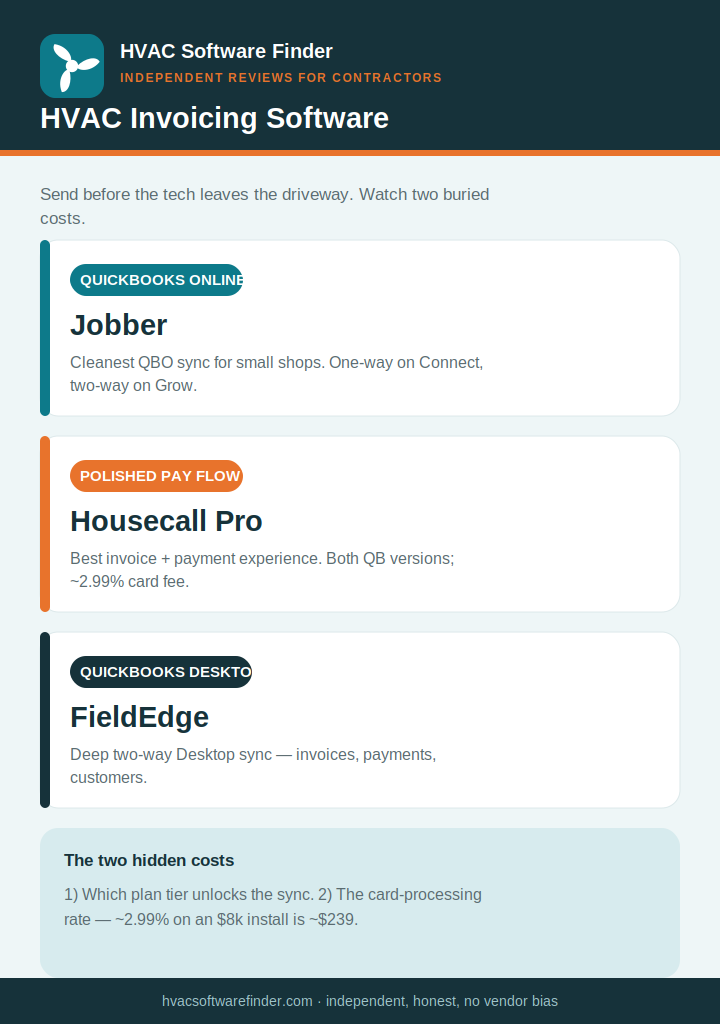
Quick answer: The best HVAC invoicing software lets a tech send the invoice before leaving the driveway, take payment on the spot, and sync it to QuickBooks without double entry. For most small shops that’s Jobber (cleanest, cheapest, best QuickBooks Online sync) or Housecall Pro (polished invoicing + payments, great mobile app). If your books live in QuickBooks Desktop, FieldEdge is the standout for its two-way sync. Watch the two costs vendors bury: the plan tier that unlocks sync, and the card-processing rate. Here’s the honest breakdown.
Same-day invoicing is the real lever — and the hidden costs are sync and processing
The single highest-impact billing habit in HVAC is sending the invoice before the tech leaves the job. Digital invoices get paid up to 4x faster than paper, and the average shop owner sinks 8–10 hours a week into billing admin. So invoicing software earns its keep mostly by speed: one-tap invoice from the field, card or ACH payment on-site, automatic sync to your books.
But two costs get buried in the marketing, and we’re independent so we’ll name them. First, the QuickBooks sync is often gated behind a higher plan tier — the entry price you see may not include the integration you need. Second, the card-processing rate matters as much as the subscription: at ~2.99%, an $8,000 install costs you about $239 in processing fees — more than a month’s software. Compare both, not just the sticker price.
What good HVAC invoicing software does
- Same-day mobile invoicing — create and send from the job site in one tap.
- Integrated payments — card, ACH, and ideally financing for big-ticket installs, collected on-site.
- QuickBooks sync — ideally two-way, covering invoices, payments, and customers, to kill double entry.
- Automated reminders — SMS/email follow-ups that chase overdue invoices for you.
- Recurring invoicing for maintenance-agreement members.
How we evaluate
We weighted mobile invoicing speed, on-site payment options and processing rates, QuickBooks sync depth (one-way vs. two-way, and which tier unlocks it), automated payment reminders, recurring billing, and what verified contractors report — all weighted toward shops under 15 techs.
The best HVAC invoicing software
1. Jobber — best invoicing for small QuickBooks Online shops
Jobber nails the small-shop invoicing loop: automatic invoicing, online payments, follow-up reminders, and the cleanest QuickBooks Online sync for small operations. Techs send from the field, customers pay online, and the books stay current. Pricing runs roughly $49–$349/month. The honest caveat: the QuickBooks sync is one-way on the lower Connect tier and two-way only on Grow — and it’s QuickBooks Online only, no Desktop. Read our full Jobber review.
2. Housecall Pro — best polished invoicing + payments experience
Housecall Pro’s invoice-and-pay flow is genuinely polished: techs send from the mobile app, customers pay by card through Housecall Pro Payments, and most shops are running within a day. It connects to both QuickBooks Online and Desktop. Two honest cautions: card processing is published around 2.99% (watch that on big installs), and the QuickBooks sync is primarily one-way and arrives on higher tiers. Pricing runs roughly $59–$299/month. Read our full Housecall Pro review.
3. FieldEdge — best for QuickBooks Desktop invoicing
If your books live in QuickBooks Desktop, FieldEdge is the standout: its two-way Desktop sync covers customers, invoices, payments, and time entries, removing the double entry that plagues lighter tools. Techs invoice from a consistent flat-rate pricebook instead of guessing. Pricing is quote-based, roughly $100/office user + $125/tech per month, plus setup. Note FieldEdge requires QuickBooks for employee setup. Read our full FieldEdge review and our HVAC + QuickBooks guide.
Also worth a look: Service Fusion and Workiz
Service Fusion is notable for flat per-company pricing (no per-user fee) and QuickBooks Desktop support — appealing if you have many users and want predictable cost. Workiz bundles invoicing with strong customer communication and lead tracking. We’re researching both; see our Service Fusion review and Workiz review as they go live.
How to choose in 60 seconds
- Small shop on QuickBooks Online → Jobber.
- Want the most polished invoice + payment flow → Housecall Pro.
- On QuickBooks Desktop → FieldEdge.
- Many users, want flat pricing → Service Fusion.
Frequently asked questions
What’s the best HVAC invoicing software?
For small shops on QuickBooks Online, Jobber offers the cleanest sync and simplest invoicing. Housecall Pro has the most polished invoice-and-payment experience. For QuickBooks Desktop, FieldEdge leads with two-way sync. Match the tool to your QuickBooks version and how many users you have.
Does HVAC invoicing software integrate with QuickBooks?
Most do, but the details vary — Online vs. Desktop, one-way vs. two-way, and which plan tier unlocks the sync. See our dedicated HVAC software and QuickBooks guide for the full comparison.
How much does HVAC invoicing software cost?
Roughly $49–$299/month for small-shop platforms, plus card-processing fees (often around 2.99%). On big-ticket installs the processing rate can cost more than the subscription, so compare both. ServiceTitan and FieldEdge run higher and are quote-based.
Can techs invoice from the field?
Yes — Jobber, Housecall Pro, FieldEdge, and most modern tools let techs create, send, and collect payment from a mobile app on-site. Sending the invoice before the tech leaves is the single biggest lever for faster payment.
What’s the difference between one-way and two-way QuickBooks sync?
One-way pushes invoices and payments into QuickBooks. Two-way also pulls QuickBooks changes back into your field software. FieldEdge and ServiceTitan offer two-way; Jobber’s lower tier and Housecall Pro are primarily one-way.
This guide is independent and reader-supported. Some links to software are affiliate links, meaning we may earn a commission at no extra cost to you if you sign up — this never affects our recommendations or the cons we list. Pricing and features change often; verify current details on each provider’s website. Last reviewed: 2026.