
Independent reviews — we don’t sell software, and we list every tool’s weaknesses, not just its strengths.
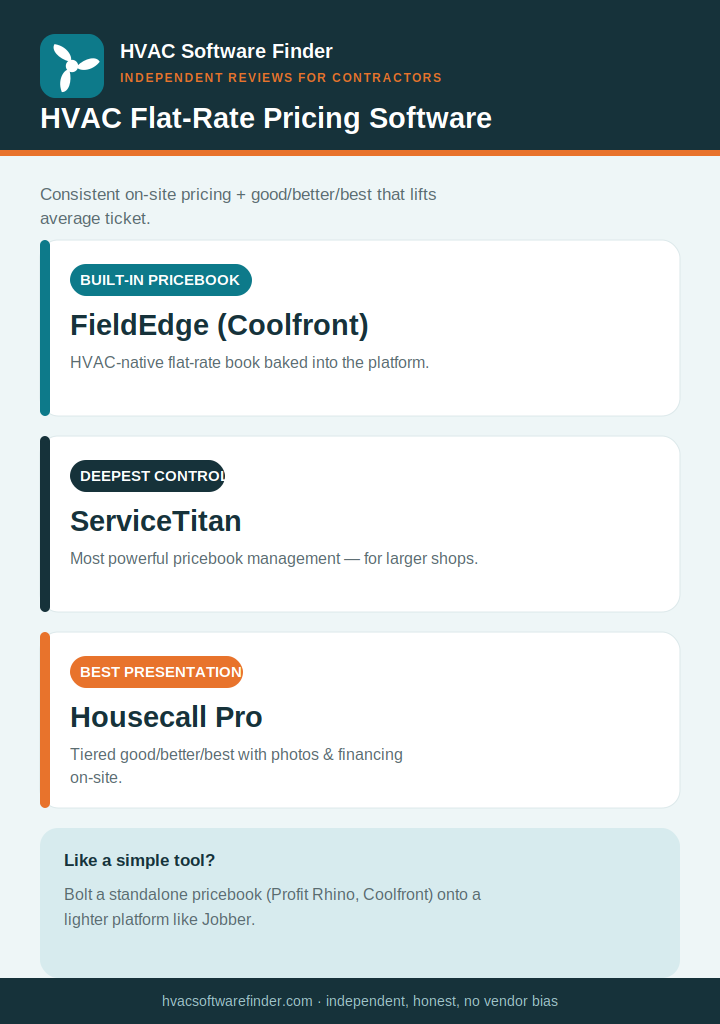
Quick answer: Flat-rate pricing software gives your techs a pre-built, pre-priced repair menu so they quote consistent prices on-site instead of guessing in the driveway — and present good/better/best options that lift average ticket. The strongest HVAC-native pricebooks come from FieldEdge (via Coolfront), ServiceTitan (deepest pricebook management), and Housecall Pro (best on-site proposal presentation). Standalone pricebooks like Profit Rhino and Coolfront bolt onto simpler tools. Here’s how to choose.
Why flat-rate pricing changes the economics of a service call
Flat-rate pricing means charging a fixed, menu-based price for a repair rather than billing time-and-materials. Done well, it does three things: it makes pricing consistent across every tech (no more one tech charging $200 and another $350 for the same job), it removes the awkward driveway math, and — paired with good/better/best options — it lifts average ticket, with field data tying tiered presentation to a 15–25% increase. We’re independent and sell nothing, so we’ll be straight about which tools have a genuinely HVAC-native pricebook versus a generic line-item builder.
The key decision is whether you want flat-rate pricing built into your field service platform, or a standalone pricebook you attach to a simpler tool. Built-in is cleaner; standalone lets a lighter platform punch above its weight.
What good flat-rate pricing software does
- A pre-built HVAC repair library — thousands of priced line items, so you’re not building the book from scratch.
- Good/better/best presentation — tiered options a tech shows on a tablet at the point of sale.
- Editable margins and labor rates — so the book reflects your costs, not a generic average, and updates as material prices shift.
- On-site signing and conversion — the chosen option becomes a job and invoice without re-entry.
How we evaluate
We weighted the depth and HVAC-specificity of the pricebook library, good/better/best presentation, how easily you can set your own margins, integration with the rest of your workflow, and what verified contractors report — all weighted toward shops under 15 techs.
The best HVAC flat-rate pricing software
1. FieldEdge (with Coolfront) — best built-in HVAC pricebook
FieldEdge integrates the Coolfront flat-rate pricebook directly: a tablet-based library with thousands of pre-built, pre-priced HVAC and plumbing repair items, ready for good/better/best presentation. For an established shop that wants consistent flat-rate pricing baked into the same system that does dispatch, invoicing, and QuickBooks sync, it’s the cleanest fit. Pricing is quote-based, roughly $100/office user + $125/tech per month. Read our full FieldEdge review.
2. ServiceTitan — deepest pricebook management for larger shops
ServiceTitan has the most powerful pricebook in the category — deep management, automated price updates, and best-in-class good/better/best presentation on technician tablets, genuinely strong for closing high-ticket replacements. But it’s enterprise-priced (roughly $245–$400+/tech/month plus implementation) and only worth it past about 10 techs. Read our full ServiceTitan review.
3. Housecall Pro — best on-site proposal presentation
Housecall Pro’s strength is how the pricing is presented: tiered good/better/best proposals with photos and financing, on the best mobile app in the category, tied to a 15–25% average-ticket lift. The flat-rate depth isn’t as deep as FieldEdge’s Coolfront book, but the presentation and ease of use are excellent for a residential shop. Pricing runs roughly $59–$299/month. Read our full Housecall Pro review.
Standalone pricebooks: Profit Rhino and Coolfront
If you like a simpler platform (or Jobber, which has no native flat-rate book) but want real flat-rate pricing, standalone pricebooks bolt on. Profit Rhino and Coolfront both provide maintained HVAC repair libraries with good/better/best presentation that pair with a separate field service tool. This lets a lighter, cheaper platform deliver flat-rate pricing without paying for an enterprise system — at the cost of running two tools. We’re researching these for deeper coverage.
How to choose in 60 seconds
- Want flat-rate built into your platform → FieldEdge (Coolfront).
- Large shop wanting deepest pricebook control → ServiceTitan.
- Best on-site good/better/best presentation → Housecall Pro.
- Like a simple tool, want to add flat-rate → Profit Rhino or Coolfront as an add-on.
Frequently asked questions
What is HVAC flat-rate pricing software?
It’s a tool that gives techs a pre-built, pre-priced repair menu so they quote consistent prices on-site rather than calculating time-and-materials. The best versions present good/better/best options that lift average ticket.
Which HVAC software has the best flat-rate pricebook?
FieldEdge (via Coolfront) for a built-in HVAC-native book, ServiceTitan for the deepest pricebook management, and Housecall Pro for the best on-site presentation. Standalone options like Profit Rhino and Coolfront attach to simpler platforms.
Does flat-rate pricing actually increase revenue?
It tends to, in two ways: consistent pricing protects margins across techs, and tiered good/better/best presentation is linked to a 15–25% increase in average ticket versus verbal or time-and-materials quotes.
Can I add flat-rate pricing to Jobber?
Jobber has no native flat-rate pricebook, but you can pair it with a standalone pricebook like Profit Rhino or Coolfront to get flat-rate presentation while keeping Jobber’s simplicity.
Should the pricebook use my own costs?
Yes — a good pricebook lets you set your own labor rates and margins so prices reflect your actual costs, and update as material prices shift. A generic book that doesn’t match your costs will erode margin.
This guide is independent and reader-supported. Some links to software are affiliate links, meaning we may earn a commission at no extra cost to you if you sign up — this never affects our recommendations or the cons we list. Pricing and features change often; verify current details on each provider’s website. Last reviewed: 2026.