
Independent reviews — we don’t sell software, and we list every tool’s weaknesses, not just its strengths.
Quick answer: For a small HVAC shop, the best dispatch software is whichever gives you a clean dispatch board and “on-my-way” texts without enterprise overhead — Jobber (simplest drag-and-drop board) or Housecall Pro (best mobile app, GPS, online booking). ServiceTitan has the most powerful dispatch board in the category, but it’s only worth its cost once you’re past roughly 8–10 techs with a dedicated dispatcher. Commercial shops with maintenance contracts across buildings want ServiceTrade; QuickBooks-Desktop shops want FieldEdge. Below, the honest fit for each.
Dispatch isn’t scheduling — and small shops don’t need the enterprise board
“Dispatch software” and “scheduling software” get used interchangeably, but they’re not the same thing, and the difference matters when you’re choosing. Scheduling is putting jobs on a calendar. Dispatch is the live operation: assigning the right tech to the right job, seeing where everyone is in real time, rerouting when an emergency call lands, and keeping the customer informed. Most vendor pages push you toward the most powerful (and expensive) dispatch board they sell — but a 4-truck shop doesn’t dispatch like a 40-truck shop, and paying for an enterprise board you’ll never fully use is a classic small-shop mistake.
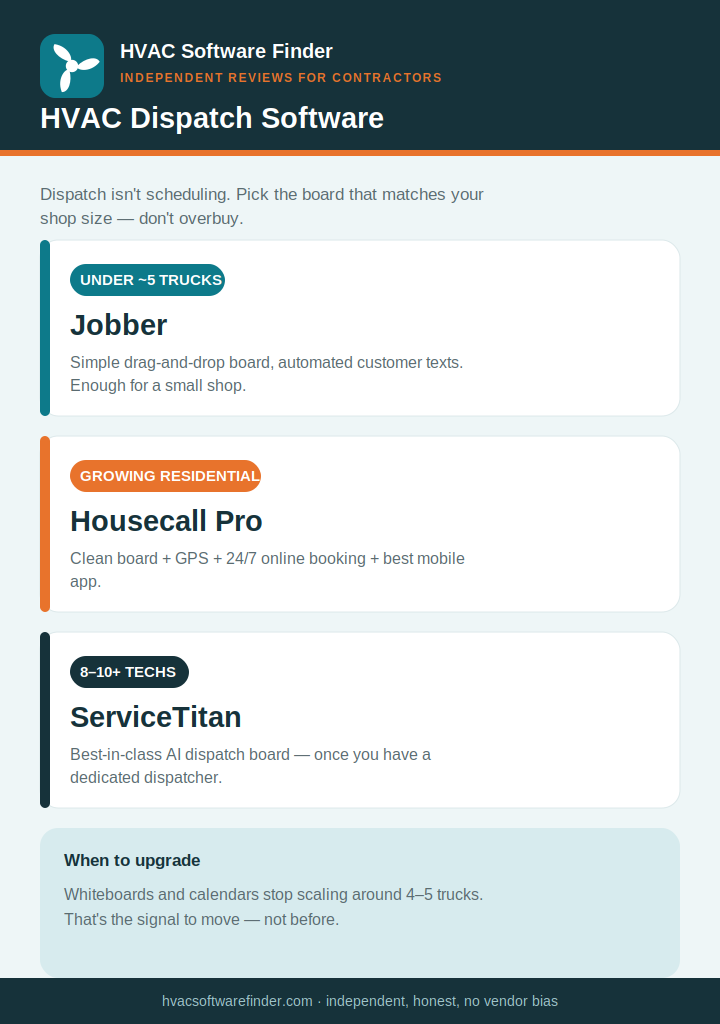
We’re independent and sell nothing, so here’s the honest framing: a shop under about 5 trucks needs a clean board, real-time tech location, and automated customer texts — not capacity-planning algorithms and CSR scripting. The whiteboard or calendar app stops scaling once you cross 4–5 trucks; that’s the signal to upgrade, not before.
What small-shop dispatch actually needs
- A drag-and-drop dispatch board with color-coded job statuses and real-time tech location — the workspace a dispatcher (or owner) lives in all day.
- Route awareness. Residential service routes pack 6–10 stops a day; trimming drive time between them recovers real billable hours.
- Customer “on-my-way” texts and confirmations to cut no-shows and the “where’s my tech?” calls.
- A mobile app techs will actually use — job details, customer history, and the ability to update status from the field.
- Recurring-maintenance scheduling so service agreements auto-populate the board instead of falling through the cracks during peak season.
How we evaluate
We weighted dispatch-board usability, real-time GPS and tech tracking, route efficiency, customer communication (SMS confirmations and on-my-way alerts), recurring-maintenance handling, mobile-app quality, and what verified contractors report on G2, Capterra, and trade forums — all weighted toward shops under 15 techs.
The best HVAC dispatch software, by shop type
1. Jobber — best simple dispatch board for small shops
For a shop running 1–15 trucks, Jobber’s drag-and-drop board is intuitive, fast, and enough. You assign techs, see the day at a glance, send automated customer texts, and get basic route awareness — without the complexity (or cost) of an enterprise system. Setup takes about a day, and the phone support is the best in the category if you hit a snag mid-rush. Pricing runs roughly $49–$349/month.
Where it falls short: dispatch is manual, GPS and full team features sit on higher tiers, and there’s no AI routing. For a small shop that’s usually fine. Read our full Jobber review.
2. Housecall Pro — best dispatch + mobile app + online booking
Housecall Pro pairs a clean drag-and-drop board with the best mobile app in the category, GPS vehicle tracking, automated on-my-way texts, and a 24/7 online booking widget that fills the schedule without phone tag. For a growing residential shop, that combination is the sweet spot — more capable than Jobber on customer communication and booking, without ServiceTitan’s price. Pricing runs roughly $59–$299/month.
Where it falls short: routing/route optimization isn’t offered on any plan as of 2026, dispatch is still fundamentally manual, and support is chat/AI-first. Read our full Housecall Pro review.
3. ServiceTitan — best dispatch board, once you’re big enough
ServiceTitan’s dispatch board is genuinely best-in-class: drag-and-drop with real-time GPS, color-coded statuses, skill- and capacity-aware assignment, and automated notifications all in one screen. For a shop with a dedicated dispatcher juggling complex routing, nothing else matches it. But it’s enterprise-priced — roughly $245–$400+ per tech per month plus implementation — and only pays off past about 8–10 techs and $2M+ in revenue. Below that, you’re buying a dispatcher’s cockpit for a shop that doesn’t have a dispatcher. Read our full ServiceTitan review.
4. ServiceTrade and FieldEdge — for commercial and QuickBooks shops
If you run commercial maintenance contracts across a portfolio of buildings, ServiceTrade offers map-based dispatch tied to asset-level service history and auto-generated PM work orders — purpose-built for that model. If your books live in QuickBooks Desktop and you want dispatch plus a flat-rate pricebook in one system, FieldEdge is the natural fit, with skill- and location-aware assignment. Newer mobile-first options like Workiz and FieldPulse also bundle dispatch with GPS and customer self-booking; see our Workiz review and FieldPulse review as they go live.
How to choose in 60 seconds
- Small shop, want a simple board → Jobber.
- Growing residential shop, want GPS + online booking → Housecall Pro.
- 8–10+ techs with a dedicated dispatcher → ServiceTitan.
- Commercial maintenance contracts → ServiceTrade; QuickBooks Desktop shop → FieldEdge.
Frequently asked questions
What’s the best HVAC dispatch software for a small business?
Jobber for the simplest dispatch board, or Housecall Pro if you also want GPS tracking and 24/7 online booking. ServiceTitan has the most powerful board but only makes financial sense for larger operations with a dedicated dispatcher.
What’s the difference between dispatch and scheduling software?
Scheduling puts jobs on a calendar. Dispatch is the live operation — assigning the right tech, tracking locations in real time, rerouting for emergencies, and keeping customers informed. Most modern HVAC platforms do both, but dispatch is where small shops feel the strain first.
Do I need GPS tracking for dispatch?
It helps once you’re running multiple trucks — you can assign the closest qualified tech to an emergency call and send accurate on-my-way texts. Housecall Pro and ServiceTitan include it; Jobber offers it on higher tiers.
When should I upgrade from a calendar or whiteboard?
Usually around 4–5 trucks. Below that, a simple calendar can work. Past it, manual dispatch starts causing double-bookings, idle techs, and missed maintenance visits during peak season.
Does dispatch software handle recurring maintenance?
The good ones do — recurring service agreements auto-populate the dispatch board so seasonal tune-ups don’t get missed. See our HVAC maintenance software guide for how each tool handles agreements.
This guide is independent and reader-supported. Some links to software are affiliate links, meaning we may earn a commission at no extra cost to you if you sign up — this never affects our recommendations or the cons we list. Pricing and features change often; verify current details on each provider’s website. Last reviewed: 2026.